
Talking Pen Content Production: From Book Files to Tested OID Audio
A publisher-focused workflow for turning artwork, scripts and recordings into controlled OID-coded books and production-ready talking pen content.
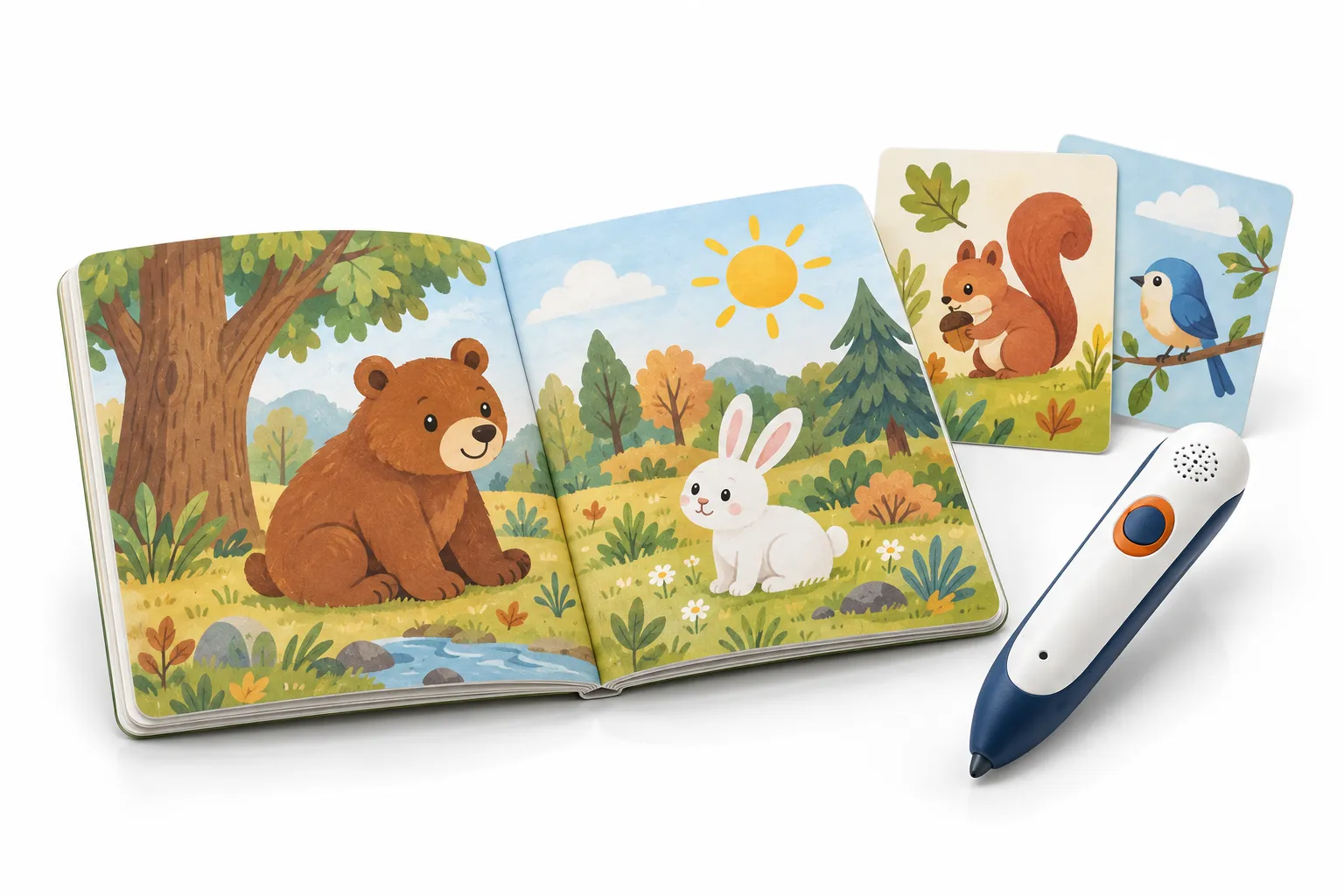
Talking pen content production is the process of connecting printed touchpoints with the correct audio or function. The work begins with editorial decisions—what should happen when a learner touches a word, image or icon—and ends with coded print, device-ready audio, firmware and an approved test record that can be reproduced in mass production.
The optical pen is only one part of the system. A publisher may already have beautiful books and professional recordings, yet those assets still need identifiers, naming rules, interaction logic and print preparation. If each team maintains a different spreadsheet or file version, the pen can play the wrong language even when the hardware and book both appear correct.
This guide presents a controlled workflow for publishers, curriculum companies and educational brands. It explains where editorial, audio, prepress, firmware and factory responsibilities meet, how to approve representative samples and which records protect reprints and future titles.
How is talking pen content produced?
Talking pen content is produced by defining touchpoint behavior, assigning unique OID identifiers, mapping each identifier to approved audio, embedding compatible codes in print artwork, preparing device-ready files and firmware, testing physical print proofs, and releasing one controlled content package for factory installation and inspection.
OID commonly refers to optical identification: a sensor in the pen reads a printed pattern, decodes its identifier and triggers mapped audio or a firmware function. The exact technology, code appearance, printing separation and software workflow vary by platform. Buyers should use the specifications supplied for the selected pen rather than assuming every OID system is compatible.
A robust workflow treats the printed code, audio file and intended action as one record. The product is not approved merely because a digital file contains codes or because audio plays from the pen. The physical book must be scanned with the approved hardware and the observed response must match the current content map.
One touchpoint needs one stable content ID that follows it through script, audio, OID coding, print proof, firmware and quality testing. File names alone are not enough when titles, languages and editions expand.
1. Design the learning interaction before coding pages
Decide the touchpoint types for each product application. A picture dictionary may offer word pronunciation, a short sentence and an environmental sound. A storybook may provide page narration plus individual dialogue. An activity book may need prompts, answer zones, feedback and a reset rule. A music book may use play, pause or track-selection icons.
Avoid coding every visible object simply because it is technically possible. Too many active zones can make the page unpredictable and increase scripting, recording, mapping and testing work. Select touchpoints that support the content objective and remain large enough for reliable use by the intended learner.
Write behavior for special icons and modes. What happens when the learner touches a language icon, volume symbol, repeat area or quiz start? Can the learner switch language during playback? Does touching an answer before a question produce feedback? Firmware developers need explicit states, not only a list of audio clips.
Review the intended age, reading level and supervision context. Instructions should be understandable without relying on packaging that may not be present during use. Avoid overstating educational outcomes; validate wording, sequence and age suitability with the buyer's qualified editorial or education reviewers.
| Touchpoint type | Example response | Content decision |
|---|---|---|
| Word | Pronunciation and example phrase | Accent, pace and repeat rule |
| Picture | Name, fact or sound effect | Which concept the image represents |
| Narration area | Full page or paragraph reading | Start, stop and interruption behavior |
| Activity answer | Correct, retry or hint feedback | Valid answers and current question state |
| Mode icon | Language or activity change | Persistent state and confirmation prompt |
2. Build a content map that becomes the single source of truth
A talking pen content map should record title, edition, language, page, touchpoint, OID ID, printed reference, script, audio filename, function, status and reviewer. It should be versioned and released so editorial, audio, coding, firmware and QA teams use the same approved data.
Start with stable internal IDs independent of visible page numbers. Pages can move during editing, but a stable record lets the team track changes. A practical ID might include project, title, language, activity type and sequence, provided the convention is documented and does not become too long for production tools.
Separate source script, translated script and recorded-file status. Include pronunciation notes, character or narrator, direction and expected function. For activities, record valid answers and feedback logic. For songs or licensed audio, include rights or source references in the project document pack rather than relying on memory.
Status fields should reflect the workflow: draft, editorial approved, translation approved, recorded, audio approved, mapped, print proof tested and released. A single green cell for 'done' hides which part was approved. Identify the approver and date so a later change can be assessed against the previous release.
Use automated checks where practical. A simple validation can flag duplicate OID IDs, missing audio filenames, files present in the folder but absent from the map, or touchpoints without approved script. Automation supports reviewers; it does not replace listening, language judgment or physical page testing.
3. Record, edit and approve audio for the actual device
Prepare a recording script from the released content map, not a separate manually copied document. Group lines by voice and context while retaining each content ID. Add pronunciation guidance, emphasis, emotional direction and whether a line is a prompt, answer, narration or isolated word.
Approve a voice and representative recording sample before the full session. Include short words, similar phonemes, numbers, long narration, questions, positive feedback and any music or effects. This shows whether the voice, pace and performance suit the target age and whether the planned audio remains clear through the pen's speaker.
Editing may include noise cleanup, trimming, level control, equalization, compression and conversion to the platform's delivery format. Keep original masters separate from device-ready files. Do not repeatedly convert compressed files, because generation loss can reduce clarity. Record the processing settings used for consistency across later titles.
Review audio in three contexts: accurate language, appropriate content and device playback. Native or qualified language reviewers should confirm pronunciation and meaning. Editorial reviewers confirm script and tone. Technical reviewers load device-ready files onto the intended pen and check clarity, level consistency, start delay and endings.
File naming should be deterministic. If the platform ultimately uses numeric names, keep the stable content ID in the map and archive tool. Never rely on folder order as the only mapping method. A missing file should produce a validation error before installation preparation begins.
| Audio stage | Primary output | Approval question |
|---|---|---|
| Script preparation | ID-based recording script | Is every line final and contextualized? |
| Voice test | Representative voice sample | Does it fit audience, language and device? |
| Recording | Archived master files | Was each ID captured correctly? |
| Processing | Device-ready files | Are clarity, level and format consistent? |
| Device review | Approved listening record | Does each file sound correct through the pen? |
4. Assign OID codes and place them in controlled artwork
The OID supplier or talking pen manufacturer should define the code allocation and artwork process for its platform. Codes may be applied to individual objects, text, page regions or control icons. The system may use different code types for direct audio, book identification, mode switching or quiz functions.
Code placement must follow the intended touch region. Large illustrations may need a fill or region strategy so the pen responds across an intuitive area. Small words and icons require careful boundaries to avoid adjacent codes. Avoid overlapping active regions unless the platform and interaction have been deliberately designed for it.
Print-layer requirements vary. Some systems require particular color separations, ink behavior, screening or code density. The code can be visually subtle but still interacts with artwork and printing. Obtain platform-specific prepress instructions before final separation and do not infer them from another supplier's OID product.
Keep an allocation register. Record which code ranges belong to each title, edition and function, who can generate new codes and whether the buyer can use another approved printer. The commercial agreement should address code rights, coded source files and continuity if the original vendor changes.
Use a digital verification tool if provided, but treat it as an intermediate check. The final evidence is physical print produced by a representative process and scanned with the approved pen across the intended touch areas.
5. Prepare, print and test coded book proofs
Begin with the final layout or a controlled representative spread. Confirm trim, bleed, binding margin, safe areas, color profile, image resolution, fonts and the exact OID layer requirements. Changes to page scale, color separation or objects after coding can alter code placement or readability.
A soft proof can verify visible content and layer presence. It cannot prove how the printed code interacts with ink, coating, paper, lamination and press conditions. Produce a physical coded proof using a process representative of mass production. Test multiple points within each active region, boundaries between adjacent regions and control icons.
Record actual versus expected response. The test sheet should name the pen firmware and content release, proof file, print date and result for every representative touchpoint. Mark whether a failure follows the artwork, code placement, print reproduction, sensor or mapping. Correct the root cause rather than simply tapping until the page works once.
For print production at a separate book factory, define file handover, output settings, inspection media and change control. The printer should not flatten, rescale, recolor or rebuild coded layers without an approved workflow. The talking pen partner should supply a known-good test pen and clear acceptance instructions.
Reprints need the same discipline as a first edition. Review whether the press, paper, finish, coded file, firmware or audio has changed. A visually identical reprint can still require recognition verification if production variables differ.
A digital OID file is not a finished interactive book. The approval point is a physical printed proof that produces the expected response with the released pen and content package.
6. Release firmware and the content package as one configuration
Firmware interprets codes, manages modes and controls playback. The content package contains device-ready audio and mapping data. Depending on the platform, they may be built together or released separately. Either way, the approved sample should identify both versions and the book edition it supports.
Define installation preparation before mass production: master package location, release checksum if used, supported pen models, memory requirement, language or SKU, installation method and verification. Restrict production access to released files. Draft audio and test builds should be stored separately from the programming station.
Test boundary behavior, not only direct playback. Check startup, book identification, rapid touches, interrupting long narration, switching language, repeat, volume, quiz state, inactivity, low power and recovery after an unexpected shutdown. If an unsupported code is scanned, the behavior should be predictable and documented.
Plan compatibility for future titles and earlier devices. New content may fit within reserved code ranges but require firmware functions that an older pen lacks. State the minimum supported firmware and decide whether field updates are available, factory-only or not supported. Avoid promising permanent backward compatibility without a tested architecture.
| Release item | What to record | Why it matters |
|---|---|---|
| Firmware | Version, date, supported hardware | Defines code and control behavior |
| Audio package | Release, language, size and file count | Prevents missing or mixed content |
| Mapping | OID ranges and function table | Connects print with playback |
| Book files | Edition and coded artwork revision | Identifies compatible printed content |
| Verification | Install result or diagnostic method | Confirms the intended SKU on production units |
7. Test content before and during mass production
Talking pen content QA should validate scripts, files, OID uniqueness, mapping, physical print recognition, audio quality, firmware states and installed production versions. Factory testing should use controlled coded media and shipment inspection should sample real books and pens from finished cartons.
Pre-release QA begins with automated completeness checks, then language and listening review. A reviewer should compare the approved script with the device-ready file and confirm the content ID. Another check verifies that every coded artwork region appears in the map and that no unassigned or duplicate production code remains.
Functional content testing uses the physical book and pen. Test every touchpoint for a representative title where feasible, including boundaries, repeated touches and mode changes. For large libraries, combine complete master validation with risk-based regression suites and documented sampling while preserving traceability to the full map.
Factory testing should confirm the sensor and playback path on every pen using controlled test media, as well as the installed build or SKU. Printed-book production should verify coded proof standards and sample recognition throughout the run. When books and pens meet at pack-out, test complete sets rather than assuming two separately passed components are compatible.
Shipment inspection should select finished sets across cartons and compare title, edition, language, firmware, audio, book print, accessories, labels and packaging with the approved reference. Test touchpoints across multiple pages and code ranges. If failures cluster around one page, language or carton, investigate the affected scope before release.
8. Protect project continuity with a complete handover package
A talking pen project should remain maintainable after the first shipment. Agree which files the buyer receives: source or print-ready coded artwork, content map, code allocation record, approved scripts, audio masters, device-ready files, firmware release information, test sheets and instructions. Commercial ownership may vary, but access and future service expectations should be explicit.
Archive by release rather than overwriting folders. A reprint team should be able to reconstruct what was shipped, including the pen model, book edition, language, package and applicable test records. Store original audio masters and licensed-asset documentation with appropriate access controls.
When adding a new title or language, begin from the released database and create a controlled branch or new edition. Reuse platform rules, not old files copied without context. Review code allocation, memory, firmware functions, book identification and compatibility before assigning new touchpoints.
A mature content workflow reduces dependency on individual employees or informal supplier knowledge. It makes quotations clearer, translation safer, factory installation more repeatable and shipment disputes easier to investigate.
Frequently asked questions
What files are needed to convert a book into talking pen content?
Provide editable or print-ready artwork, a touchpoint plan, source scripts, languages, available audio, brand and rights information, page and edition details, and the intended pen platform if selected. The project then needs a controlled content and OID map.
What is an OID code map?
It is the controlled record connecting each printed touchpoint and OID identifier with its audio file or firmware function. It should also identify title, edition, language, page, status and reviewer.
Can an existing printed book work with a talking pen?
Usually the book must be reprinted with codes compatible with the selected OID platform. Existing artwork can often be adapted if the buyer has suitable rights and production files, but a normal uncoded print cannot be made interactive only by loading audio into the pen.
Should audio be recorded before OID coding?
Scripts and touchpoint IDs should be stable first. Coding and audio production can then progress in parallel if both use the same content map. Final release occurs only after approved files, codes, artwork and firmware are reconciled.
How is OID print quality tested?
Use a physical proof made with a representative print process. Scan multiple points within active regions and along boundaries using the approved pen and content build, then record expected and actual responses.
Who owns the OID codes and coded book files?
Ownership and usage rights depend on the platform and contract. Buyers should clarify code allocation, exclusivity, source-file handover, permitted printers, future titles and continuity before production.
Conclusion
Talking pen content production is a publishing, audio, software and manufacturing workflow. Its central control is the content map that connects editorial intent with audio, OID codes, coded artwork, firmware and test evidence.
Start with one representative spread, prove the complete path on physical print and release files as one compatible configuration. That approach makes the first sample more informative and future titles, languages and reprints easier to control.
Authoritative references
Requirements change and differ by product. Use the current official source and qualified professional advice for the final project.