
Talking Flash Card Content Design: How to Build a Useful Card Library
A practical content-development framework for vocabulary scope, age progression, artwork, audio and card-to-device mapping.
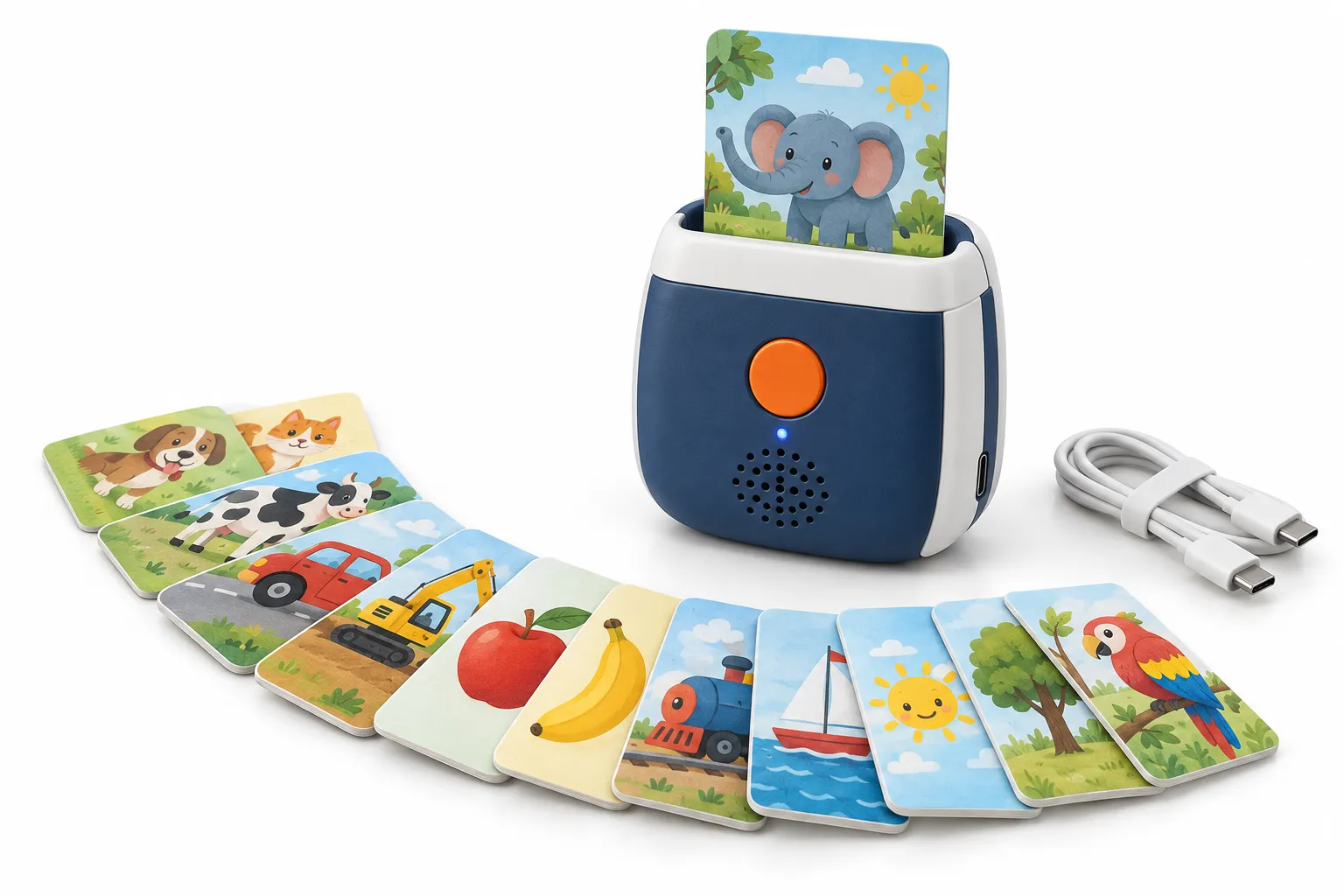
A talking flash card product is easy to demonstrate: insert or present a card and hear a word, phrase or sound. Building a useful library is more complex. The topics must fit the learner, illustrations must be recognizable, audio must teach the intended language and every physical card must map reliably to the correct response.
Generic card sets often collect unrelated nouns to reach a marketable count. A stronger product organizes vocabulary around learner needs, balances categories, introduces difficulty deliberately and uses consistent audio patterns. The device and cards should support repetition without making the experience monotonous.
This guide covers content architecture and production control. Educational claims and curriculum design should be reviewed by qualified specialists for the target market, while the manufacturer ensures the content can be printed, recognized, installed and inspected consistently.
What makes a good talking flash card library?
A good talking flash card library has age-appropriate learning goals, a balanced vocabulary scope, clear and culturally suitable illustrations, consistent native-reviewed audio, stable card IDs, deliberate progression, durable card construction and production records that keep every image, word, sound and device response aligned across languages and reprints.
The best starting question is not how many cards fit in the box. Ask what the learner should recognize, say or understand after repeated use. Card count follows content scope and practical handling. A smaller coherent set can deliver more value than a large unstructured collection.
Decide whether one card teaches one item or supports several modes. A device may play the word, a phrase, a sound effect or a quiz prompt. More modes increase content and firmware complexity, so the interaction should remain clear for the target age.
Design the set as a database from the beginning. Stable IDs connect topic, image, printed word, translation, audio, card identifier and approval status. This protects mapping when artwork or language changes.
1. Define learner, language and measurable content objectives
Specify age, existing knowledge, home or classroom use and required adult support. Early learners may need concrete familiar nouns and short audio. Older learners may benefit from categories, verbs, phrases, spelling or questions. Avoid an age label that is based only on illustration style.
Define language purpose: first-language vocabulary, second-language exposure, pronunciation, listening comprehension or bilingual comparison. Decide whether printed text appears in one or several languages and how the device switches or sequences audio.
Write content outcomes that can guide selection. For example, recognize common animals and their sounds, understand daily-routine verbs or match quantities with spoken numbers. Outcomes help remove attractive cards that do not support the set.
2. Build a balanced vocabulary and topic matrix
Organize topics such as family, home, food, animals, transport, actions, colors, shapes and routines according to the target market. Review category size and word difficulty. Avoid overloading easy visual nouns while omitting useful verbs and phrases.
Check ambiguity and regional variation. One illustration may have several names, and one word may refer to different objects across markets. Choose the target term, add context where needed and document accepted variants. Native educational review is important for dialect and pronunciation decisions.
Plan expansion without duplicating identifiers or confusing levels. A base set may establish core vocabulary, followed by themed or advanced packs. Define device compatibility and packaging so customers understand which cards work with which reader.
| Content decision | Question | Production impact |
|---|---|---|
| Topic scope | What learning outcome does the set support? | Card count, packaging and audio volume |
| Language model | Single, bilingual or selectable? | Print layout, memory and firmware |
| Audio mode | Word, phrase, sound or quiz? | Recording, mapping and controls |
| Expansion | Will future packs use the same reader? | Identifier reserve and compatibility |
3. Create illustrations and typography children can identify
Use clear silhouettes and avoid backgrounds that compete with the learning object. Show the intended meaning, not a decorative approximation. For verbs, use a readable action and context. For emotions or social concepts, review cultural interpretation and avoid stereotypes.
Printed words should be legible at the final card size. Choose age-appropriate type, contrast and spacing. Multilingual cards need enough space for expansion and scripts with different direction or glyph requirements. Test actual print, not only large on-screen artwork.
Keep safe margins for rounded corners, slots and recognition areas. Lamination, coating and card thickness affect durability and sensor interaction. Approve production-intent proofs with the selected reader.
4. Write and record consistent card audio
Choose a repeatable audio pattern. A card may play the isolated word, then a short phrase or sound. Keep instructions predictable so the learner can focus on content. Avoid adding music or effects that obscure pronunciation.
Use qualified speakers and native review for language-learning content. Record consistent pace, energy and spacing. Process audio for the actual device and test quiet consonants, long words and phrases through the final speaker.
Link every audio file to the card ID and released script. If a word changes after recording, update artwork, translation, file and mapping status together. Do not rely on filename order as the only relationship.
5. Map cards to the reader and test edge cases
The recognition technology may use printed codes, optical patterns, magnetic arrangements, RFID or another platform. Follow the selected supplier's requirements and keep card identifiers unique. The database should show expected response by language and mode.
Test orientation, insertion depth, speed, repeated cards and damaged edges under foreseeable use. Confirm what happens with an unsupported, backwards or partially inserted card. Feedback should be understandable without frustrating the child.
Sample every category and all special functions during development, then verify the full release database. Production tests can use controlled cards, but final inspection should also sample cards packed with the product to detect mixed sets.
6. Design repetition, progression and adult guidance
A card machine naturally supports repetition, but progression must be designed. Group cards into manageable topics, mark levels or provide activity suggestions. A storage system can help caregivers select a subset rather than presenting the complete library at once.
Add prompts that extend learning: find the object, use the word in a phrase, imitate a sound or sort cards by category. These activities may live in a guide rather than the device, keeping hardware simple while improving product application.
Avoid claims that the product alone guarantees learning outcomes. Describe intended practice and provide realistic instructions. If curriculum alignment is important, use qualified educational review and preserve the evidence behind claims.
7. Release and inspect the complete card set
Create a release matrix containing card ID, topic, artwork, text, language, audio, recognition identifier and status. Lock the print files and device package together. Similar cards and language editions should be separated during printing, sorting and pack-out.
Inspect card count, sequence or grouping, print, cut, rounded corners, finish, warpage and recognition. Use sampling across the print run and packed sets. A correct reader with one missing or duplicated card is an incomplete product.
Retain approved cards and production records for reprints. If the substrate, finish, printer or recognition method changes, repeat compatibility proofing. Track consumer reports by card and lot so content or physical defects can be corrected efficiently.
Build a flash-card set as a coherent learning and manufacturing system
Create a balanced content matrix
Start with learner age, language level and use setting, then assign a target count to each topic and skill. Record headword, image concept, audio, example phrase, translation, level and review status in one dataset. The matrix reveals duplication, missing categories and cultural imbalance before illustration and recording become expensive.
Use clear image briefs for concepts that can be confused. Concrete nouns may need an isolated object; verbs may need a character and visible action; opposites require consistent comparison. Avoid relying on written labels to rescue an ambiguous picture, especially for pre-readers. Native and educational reviewers should evaluate the complete image-text-audio relationship.
Design for hands, readers and sensors
Choose card dimensions, corner radius, stiffness, finish and storage based on age and use frequency. Keep essential artwork away from trim and wear zones. If the machine identifies inserted cards, define orientation, registration and recognition area. If a pen reads the card, test coded targets near edges and on dark artwork.
Typography and information density should support quick recognition. A card need not show every translation, phonetic aid and example at once. Consider separate modes or companion material for advanced information. Confirm that finish does not create glare or reduce optical reading and that cards do not block or stick in the slot after humidity exposure.
Prove completeness and mapping at pack-out
Assign card IDs and keep the print list linked to audio and firmware. Production proofs should verify order, front-to-back pairing, color, cutting and recognition. Test a spread of simple and difficult content with the final device. Changes to one card must propagate through the dataset, imposition, audio package and inspection list.
At shipment inspection, count complete decks from sampled cartons and check language, sequence, print, finish and representative interactions. Packaging should protect edges and make card storage practical after purchase. Retain a sealed reference set plus editable source and release manifests for reorders and future expansion packs.
If several decks share one device, give each edition a visible identifier and a machine-readable configuration record. Customer service should be able to determine compatibility from the product and package without opening files. This reduces wrong-language packing, mismatched reorders and unsupported combinations in distributor inventory.
A short caregiver guide can explain how cards are grouped, how audio modes work and how to store the set without overstating learning outcomes.
Frequently asked questions
How many cards should a talking flash card set include?
Choose count from learning scope, age, handling, package and price rather than a universal number. A coherent, expandable library is more useful than a large unstructured set.
Should each card play only one word?
Not necessarily. It can play a word, phrase, sound or quiz prompt, but modes should be consistent and easy for the learner to understand.
Can one reader support expansion card packs?
Often yes if the platform, identifier range, memory and firmware are planned for expansion. Confirm compatibility and update workflow before launching the base set.
How are talking cards recognized?
Methods vary by product and may include printed optical codes, slots, tags or other identifiers. Use the selected manufacturer's technical requirements and test production-intent cards.
Who should approve vocabulary and translations?
Use qualified educators or content specialists and native-language reviewers appropriate to the age and market. The factory manages production but should not be the only pedagogical authority.
What should be inspected before shipment?
Check reader configuration, representative function, complete card count, correct language, print and cut quality, card recognition, storage, instructions, labels and packaging.
Conclusion
Talking flash card content should be designed as a learning library and a production database at the same time. Clear objectives, balanced vocabulary, readable artwork, consistent audio and stable mapping create a stronger user experience.
Plan expansion early and inspect the packed card system, not only the reader. That approach gives brands meaningful content ownership while helping factories reproduce the correct cards, audio and language configuration.
Authoritative references
Requirements change and differ by product. Use the current official source and qualified professional advice for the final project.