
Talking Pen Firmware Requirements: Define Behavior Before Sample Approval
A buyer-focused method for documenting modes, buttons, language switching, interruptions, power states and production software identity.
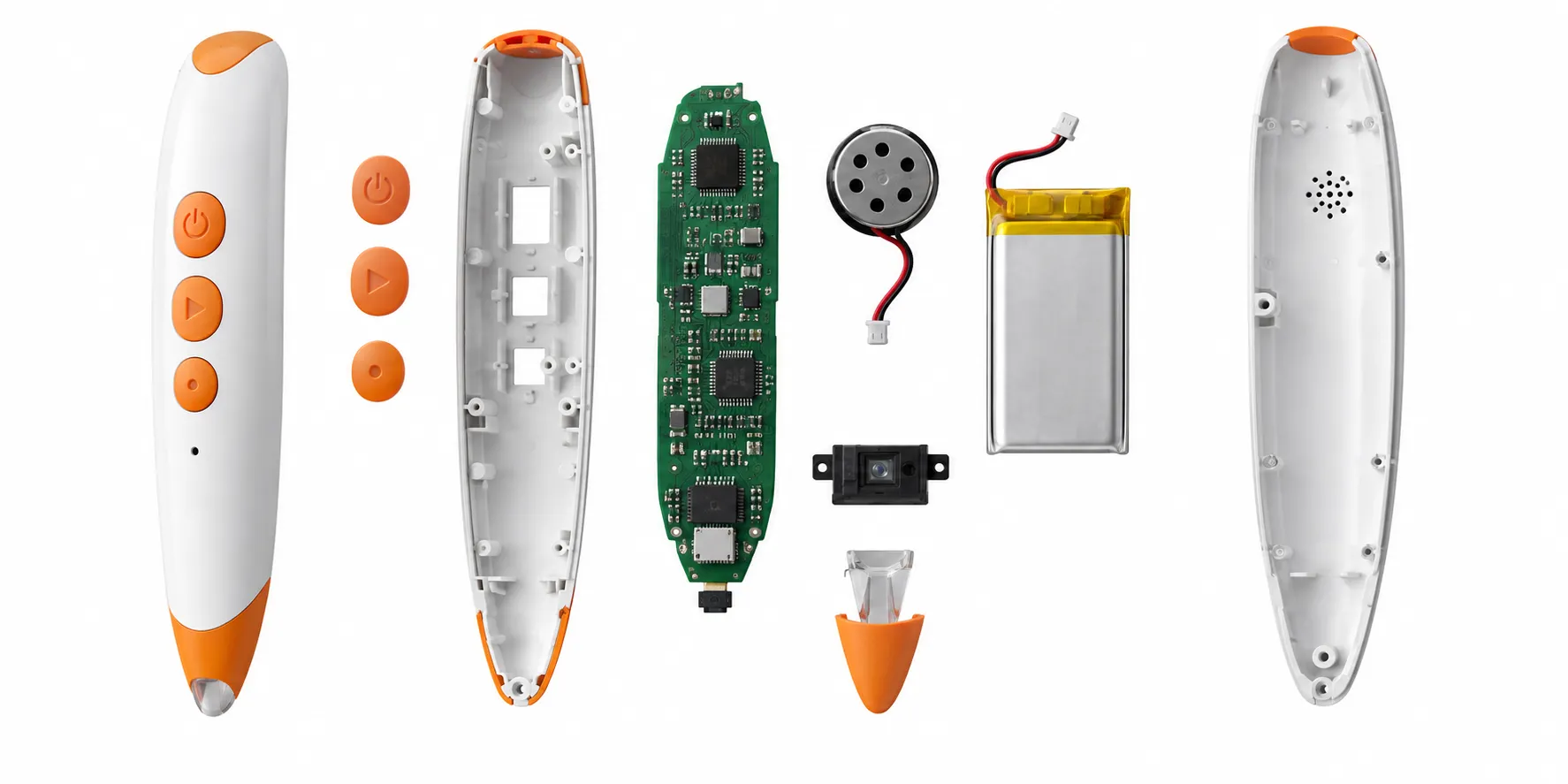
A talking pen firmware brief should describe what the user experiences, not only list features. Statements such as supports two languages or has repeat function leave important questions unanswered: how a language is selected, what feedback confirms the change, whether the setting is remembered and what happens when repeat is pressed during another file.
Undefined behavior often becomes visible late, after audio has been mapped or packaging has been written. A small firmware correction may then require new prompts, updated instructions, regression testing and another sample. The most efficient point to resolve behavior is before the first integrated sample.
This guide shows how a buyer can create a behavioral specification and version-control plan without dictating internal code architecture. The factory remains responsible for implementation, while both parties share observable acceptance criteria.
What should a talking pen firmware specification include?
A talking pen firmware specification should define startup, buttons, modes, language selection, code recognition, playback priority, volume, repeat, sleep, low-power and charging states, content-package compatibility, update method, error recovery, version identification and acceptance tests. Each requirement should describe the trigger, expected response, timing and retained state.
Begin with a state-and-action table. List every user input and relevant system event, then describe the response in each mode. A volume button may adjust level during playback, announce the new level when idle or share a long-press function. Those details affect usability, recordings and inspection.
Separate standard platform behavior from custom development. Ask the supplier to mark which functions already exist, which require configuration and which require new coding. This distinction makes price and schedule more credible and identifies functions that need deeper regression testing.
1. Define startup, idle, sleep and shutdown states
Specify the startup sound, default or remembered language, default volume, readiness time and response if content is missing. Decide whether the pen resumes the previous book or starts in a neutral state. Avoid long startup audio that delays the first interaction.
Define inactivity timeout, wake action and power-off behavior. Sleep should reduce consumption without confusing users. Test wake after short and long inactivity, low battery, charging and power interruption. If a physical switch and software sleep both exist, describe how they interact.
2. Document buttons, presses and playback priority
For every control, define short press, long press, repeated press and simultaneous input where relevant. State whether audio can be interrupted and which functions take priority. A language switch should not leave half of one language prompt followed by another unless that behavior is deliberately approved.
Include invalid actions. The pen may ignore a code during a system prompt, queue it, or interrupt. It may reject an unsupported book with a neutral sound. Clear behavior reduces random-seeming outcomes that are difficult for customer support to explain.
3. Control content packages and compatibility
Define how firmware identifies books, languages and audio packages. Record supported ID ranges, reserved regions and version rules. Expansion content should not overwrite system prompts or existing titles. If compatibility requires a minimum firmware version, make that visible to production and the customer.
Specify what happens when a package is incomplete or mismatched. The device should fail predictably instead of playing the wrong file. Preserve a compatibility matrix linking pen hardware, firmware, content release and printed edition for every sellable SKU.
4. Choose a controlled update and recovery method
Updates may occur through a factory fixture, cable, removable memory or another platform-specific process. Define who can perform the update, what files are required, how success is confirmed and whether customer updating is intentionally supported. A hidden service method should not be presented as a consumer feature.
Plan recovery from interrupted programming, wrong package and corrupted files. The factory needs a rework instruction and version verification step. If units can become unusable after an incomplete update, control power and fixture behavior and preserve a tested recovery path.
5. Make firmware identity traceable
Use a unique version identifier and checksum for every released build. Link it to change notes, source control or supplier records, compatible audio package and approval evidence. A label such as final firmware is not enough when several regional builds exist.
Decide how inspectors and service teams read the version: startup code, diagnostic touchpoint, fixture or production record. Link installed versions to finished-goods lots. Traceability allows a complaint to be scoped and prevents an old image from returning during a reorder.
6. Build acceptance and regression tests from the specification
Convert each behavior into a test with starting state, action and expected result. Cover normal use and edges: rapid tapping, long audio, repeated controls, language changes, low battery, charging, sleep and wrong content. Test on production-intent hardware because timing and power behavior depend on the actual components.
After any change, retest the changed function and connected critical functions. A modification to playback interruption can affect repeat, language and sleep. Keep a compact mandatory regression suite for every build and a wider release suite before pilot production.
| Requirement area | Example acceptance question | Evidence |
|---|---|---|
| Startup | Which language and volume are active? | Timed physical test |
| Playback | What interrupts current audio? | State-action test |
| Compatibility | Which book releases are supported? | Version matrix |
| Production | How is the installed build verified? | Checksum or diagnostic record |
Implementation record: applying talking pen firmware requirements to a real project
Start with a controlled baseline, not an informal sample
For a talking pen firmware project, the first useful baseline combines the written requirement, approved physical sample, product configuration, content release and test evidence. Photographing a sample or calling it “approved” is not enough. Record its model, language, firmware or content identity where relevant, materials, accessories, package version and any accepted deviation. The baseline gives purchasing, engineering, the factory line and the shipment inspector the same reference when talking pen firmware requirements decisions move from discussion into production.
Run a short cross-functional review before freezing that baseline. The buyer should confirm customer requirements and target market; engineering should identify technical constraints and dependencies; quality should convert critical promises into observable checks; and production should confirm that the proposed method can be repeated at line speed. Open points need an owner and due date. If an assumption cannot yet be verified, label it as provisional instead of allowing it to appear as an approved fact in the quotation or instruction.
Use pilot evidence to expose variation and handoff errors
A pilot is most valuable when it reproduces the intended materials, tools, files, operators, inspection steps and packing flow. Select units from the beginning, middle and end of the run, then test normal use and the difficult conditions identified in the risk review. Record individual results rather than only writing “pass.” For electronic learning products, useful evidence may include version identity, response behavior, audio clarity, power state, repeated interaction and pack-out accuracy, depending on the subject of the article.
Review failures by mechanism and process stage. A symptom found during factory testing can originate in an incoming component, file release, assembly method, fixture, work instruction or inspection rule. Correcting only the failed unit does not demonstrate control. The team should document containment, determine the likely cause, update the source process and rerun a defined verification sample. When evidence is mixed, keep the conclusion narrow and collect more data rather than making a confident but unsupported claim.
Carry the approved decision through shipment and repeat orders
Before shipment inspection, translate the approval package into a concise inspection plan. It should identify critical functions, sample selection, test media or fixtures, cosmetic limits, packaging checks, version verification and the records that must accompany the lot. Random sampling can indicate lot quality, but it does not replace process controls for safety-critical or configuration-critical characteristics. Define any 100 percent checks separately and confirm that their fixtures and pass criteria are controlled.
For reorders, begin from the archived release rather than from a fresh verbal description. Compare the bill of materials, approved suppliers, files, firmware, artwork, labels, test methods and regulatory assumptions. Any proposed substitution should state why it is needed, what characteristics may change and what revalidation is required. This disciplined comparison protects customer requirements when staff, component availability or production timing changes between orders.
Finally, use field feedback as structured input. Record model, lot, market, usage conditions and symptom; compare the report with retained samples and production records; and separate isolated damage from a repeatable pattern. The purpose is not to claim that every project is risk-free. It is to create traceable evidence showing what was specified, what was tested, what was shipped and how new information was handled. That is the practical foundation of trustworthy talking pen firmware requirements guidance.
Create a buyer review worksheet before quotation
A useful review worksheet has four columns: requirement, current decision, evidence needed and responsible owner. Populate it first with the six target areas that commonly change a children’s electronic product: user and age, interaction, content and language, hardware and power, package configuration, and destination market. Add the subject-specific decisions from this guide. For each row, state whether the item is approved, open, supplier-proposed or outside the current scope. This prevents an unanswered question from silently becoming a factory assumption and makes different quotations easier to compare.
Use the worksheet during the sample meeting rather than relying on comments scattered across email and chat. Link each decision to a dated file, marked photograph, measured result or physical reference. When the buyer accepts a deviation, record what differs, why it is acceptable and whether labeling, instructions, testing or price changes. Before issuing the purchase order, reconcile the worksheet with the quotation, approved sample and pack-out list. The result should identify one buildable configuration, not a collection of individually approved materials that were never reviewed together.
Add a final column for change triggers. Examples include a different component supplier, edited audio, new language, revised printed content, new package claim, destination-market change or a manufacturing-site move. For every trigger, identify who reviews the impact and which sample, document or test may need to be repeated. This turns the worksheet into a lifecycle control rather than a one-time RFQ form. It also gives customer service and reorder teams a faster route back to the evidence behind the released product. Record the decision date and effective production lot so warehouse stock, shipment inspection and later complaints can be compared with the correct configuration across changing commercial production conditions.
Frequently asked questions
Who should write the firmware specification?
The buyer should define the intended user behavior with factory engineering input. The supplier can propose implementation details and identify platform constraints.
Is firmware customization required for every OEM order?
No. Many projects can use an existing behavior set with configuration changes. Custom coding is appropriate when the learning experience requires new modes or logic.
What is regression testing?
It is retesting existing critical functions after a change to confirm the update did not create failures elsewhere.
Should customers be able to update a talking pen?
Only if the product strategy, support process and safe update method justify it. Factory-only updates are often simpler for screen-free products.
How are firmware and audio versions linked?
Use a compatibility matrix, release manifest and unique identifiers for both packages. Approve them together with the physical sample.
What should shipment inspection verify?
Verify installed version identity plus startup, controls, language, representative codes, playback, power states and the correct packaged content.
Conclusion
Firmware is the operating contract between the child's actions and the product response. A state-based specification makes that contract visible before development and converts feature language into testable acceptance criteria.
Control every released build, audio package and compatibility rule through pilot and mass production. That discipline reduces late sample changes, mixed versions and difficult field investigations.
Authoritative references
Requirements change and differ by product. Use the current official source and qualified professional advice for the final project.